
Central request inbox
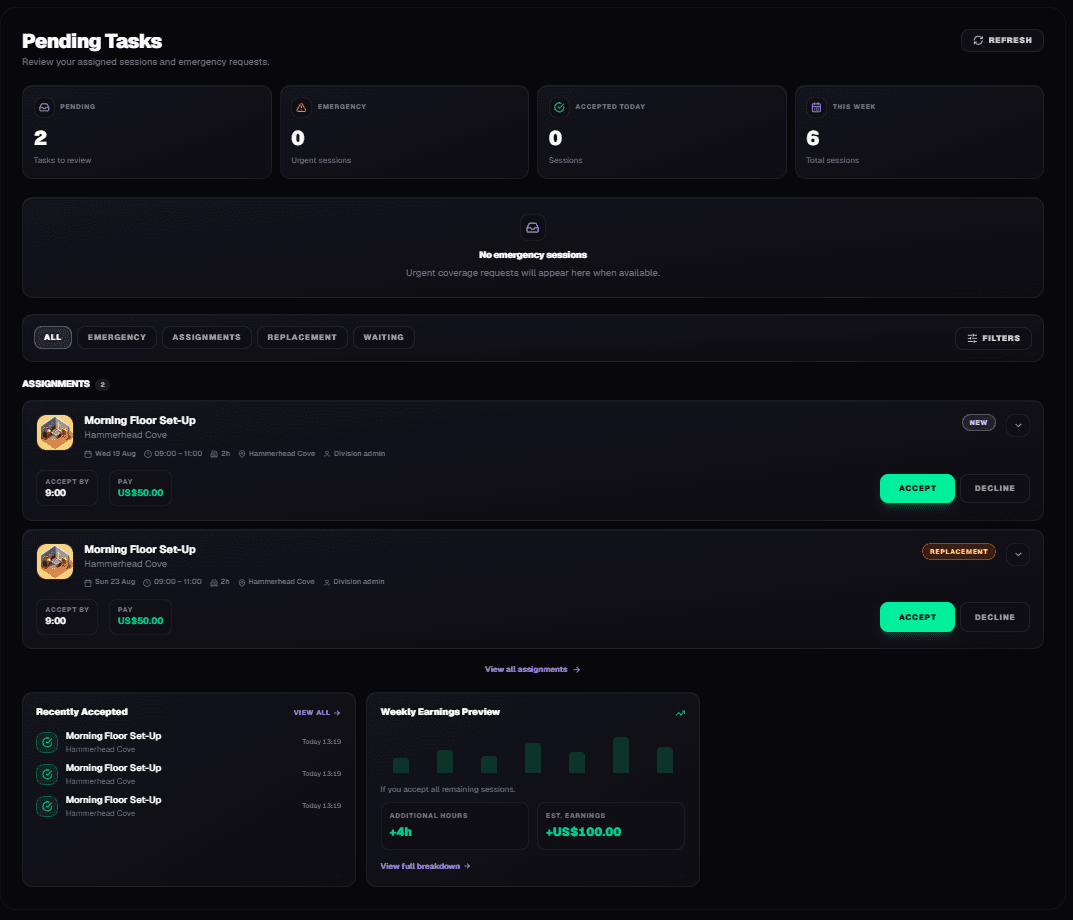
See operational requests in one place.
Requests
Handle availability changes, declines and replacement requests without endless messages.

A last-minute cancellation should not turn into a scavenger hunt. Most teams still rely on messages, phone calls and hope that somebody replies in time.
Without Teamstack
How Teamstack solves it
See operational requests in one place.
Members can accept or decline assignments.
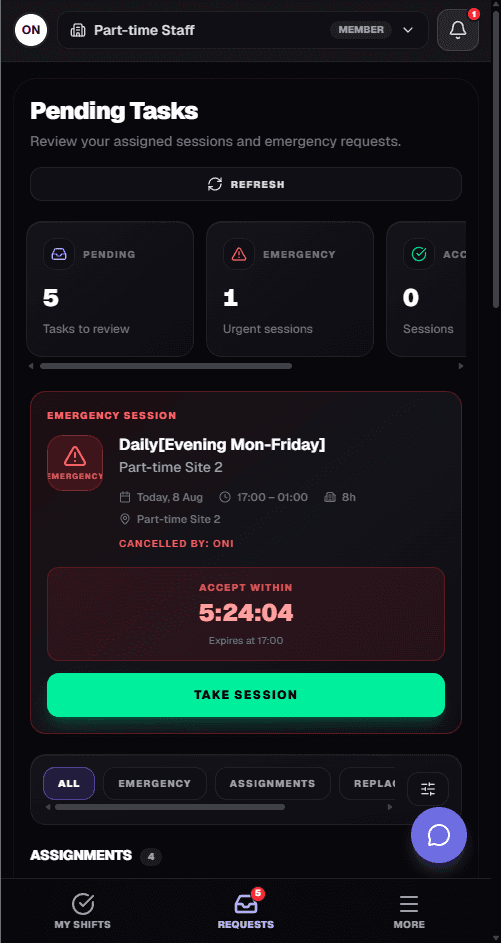
Find another available member when somebody cancels.
Every request has an obvious state: Pending → Accepted → Resolved.
Product showcase
Pending assignments, emergency cover and replacement requests sit together with a status you can act on.

Before / after
Without Teamstack
With Teamstack

How it works
Create the request, identify who can take it, assign cover, and the schedule updates.
01
A decline or cancellation opens a request automatically.
02
See who can take the session without starting a group chat.
03
Cover is confirmed and the schedule updates.

Connected workflow
Acceptances, declines and replacements feed straight back into scheduling, attendance and payroll so the operation never drifts from the calendar.

Outcome
Stop messaging seven people to fill one session.
Available members see the request and can take it before the session starts.
Managers know whether the slot is covered without reconstructing a chat history.
Connected product
Scheduling, requests, attendance and payroll share the same sessions. Availability feeds the rota. The mobile app is how members stay in the loop.
Connects the people doing the work to every module above.
Bring scheduling, requests, attendance and payroll together — then let the people doing the work stay in the loop from their phone.